Screen Fatigue and Eye Comfort at Work: New Office Setups and Basic Breaks
Screens have become the center of many office jobs, and staff now move between laptops, monitors and phones throughout the day. Some workplaces have adopted newer setups such as adjustable arms, lighting controls and shared screen rules. Others still rely on a simple desk and a busy calendar. Either way, eye comfort is a practical concern for any team.
This article is general information for business owners who want to support staff comfort without giving medical advice. It explains what has changed in office setups, which basic habits still help and how to introduce small routines without making them feel like a lecture. Anyone with eye concerns should be directed to a qualified eye care professional. The aim here is simply a workplace that feels comfortable.
What New Setups Bring to the Desk
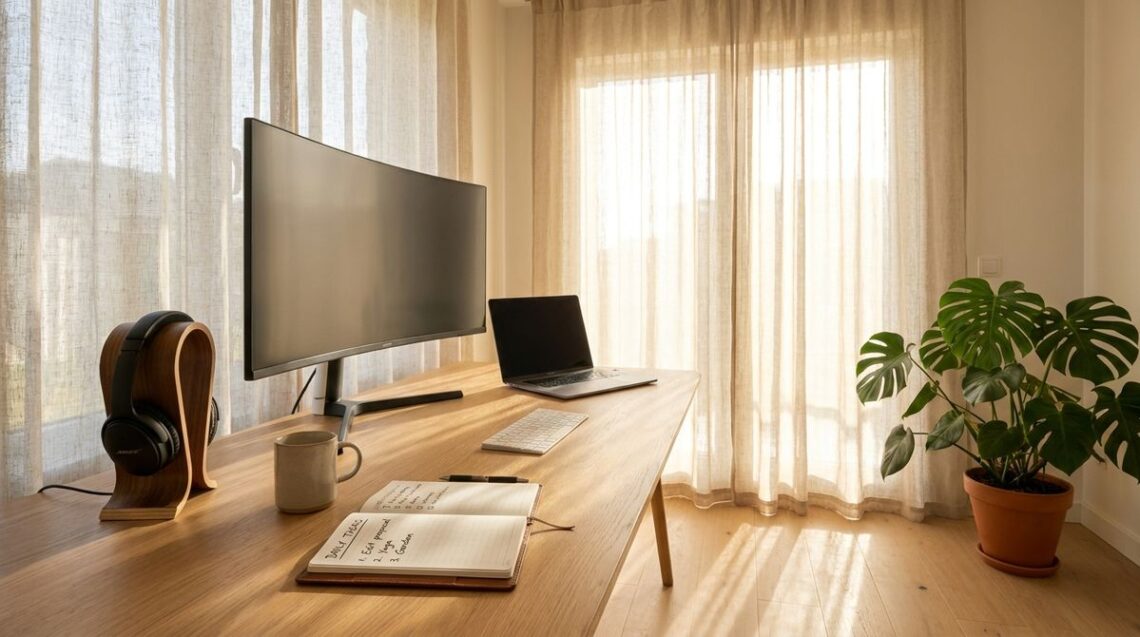
Adjustable monitor arms and anti-glare screens have become common in many offices. Lighting that can be tuned to daytime or evening brightness is another recent addition. Readers may also want to visit Revamphomegoods.com. These features can reduce reflections and help people position the screen at a comfortable distance. A good setup starts with a simple check of how each person actually sits.
Read those ideas with your own floor plan in mind, since no two rooms behave the same. Ask staff what bothers them before buying anything new. Small adjustments such as a footrest or a document holder often help more than a costly upgrade. Test any change for a week before deciding whether to keep it. Ask staff to note what felt better or worse each day.
Basic Habits That Still Work
The old advice still holds: look away from the screen at regular intervals and blink more often during long stretches of work. A short walk to refill a water bottle or to fetch a file gives the eyes a change of focus. Staff can set a gentle reminder on their devices if that helps them remember. Simple habits are easy to repeat. Repetition is what turns a habit into part of the day.
Keeping the screen at arm’s length and the top edge near eye level also helps many people. You can also visit The Best Vacuum for Cleaning for more reading. These tweaks cost little and are easy to explain at a team meeting. A short demonstration at the desk often convinces people faster than a written note.
Lighting, Glare and the Window Problem
Windows can cause glare that tires the eyes, especially when a screen sits directly in front of a bright pane. Blinds, shifted desks and matte screen covers can help. Plants and screens can also soften bright areas. Overhead lights that are too strong can add to the problem. For a related read on this site, see Designing a Multi-Functional Creative Studio at Home.
Check each workstation once in the morning and once in the afternoon, noting where glare appears. Ask each person to point out the spots where they squint. Walk the room at different times of day to spot the worst spots. A quick walk around the office after lunch can reveal problems that morning checks miss. Small changes made after the audit often make a bigger difference than expensive equipment.
Breaks, Schedules and Team Routines
Team routines matter as much as equipment. A shared calendar can include short breaks for stretching and eye rest. Managers can model the behavior by taking their own breaks in view of the team. People are more likely to follow a habit that they see senior colleagues practicing.
Avoid making the routine feel like a test. Frame it as a way to keep energy steady through the afternoon. Ask staff what time of day they feel the strain most and build breaks around those moments. A flexible plan usually lasts longer than a rigid one. Let staff suggest the times that suit their workload, and keep the choices simple enough for everyone to understand.
Checking In With Staff
Regular check-ins give staff a simple route to raise comfort concerns. Ask short, open questions during one-to-one meetings, such as what has felt tiring this week. Note practical requests and act on the ones that are easy to fix. Respect the privacy of anyone who prefers to speak in confidence. Confidence builds slowly, so keep the first few conversations short and kind.
Keep the tone neutral and avoid comments about personal health, since a casual remark can feel like advice. Refer any health concern to a qualified professional rather than offering advice yourself. Consistent follow-up shows staff that their feedback matters. Share the outcome of each request so people see that their input leads somewhere.
Comfort as a Daily Habit
Eye comfort at work comes from a mix of good setup, steady habits and a supportive culture that makes it easy to ask for help. New equipment helps, but simple routines do much of the work. Keep the advice general, invite questions and refer anyone with concerns to a qualified professional. A comfortable team is usually a productive one.

You May Also Like

How to Plan Meaningful Road Trips That Support Local Towns

Designing an Inviting Media Space for Casual Gatherings